It’s almost six months since I’ve a written a post, but I’ve been busy drafting my literature review, revising earlier chapters, drafting my discussion and now thinking about my research conclusions. I also fractured my wrist in June that has slowed me down but thankfully I was able to use the Dictate features in Scrivener and Word to keep writing a little, when I had something worth writing. Note to Microsoft: it would be really helpful to be able to dictate in the comments feature. Now, with 45k words drafted in total the PhD finish line is no longer on the horizon, it’s actually in my sightline. This is not a time to become complacent and a recent experience by one of my PhD tribe has caused me to reflect on what would happen if I lost any of my project at this point. This post is therefore an exercise to make sure I’m backing up everything that needs to be backed up in a manner (and this is key) that I can retrieve at any point in the event of my Mac crashing or similar catastrophe.
I have previously written about the trinity of tools I use to research and write my PhD or, ‘managing the chaos’ as I title the posts. While I have less use for NVivo at this stage in the project, both Scrivener and EndNote remain central. If anything were to happen to my data that either of these tools uses I would be in a bit of trouble. I wouldn’t die, as was pointed out to me at a recent Saturday study day, when I realised I haven’t even backed up my EndNote library but I would spend precious time fixing what was lost, however that might arise. The paragraphs that follow reflect my experience of making sure that the trinity of tools I need to complete my PhD remain in good working order.
NVivo – I haven’t had much reason to use NVivo in recent months. I did want to look up some interview memos but since I had Word versions that I subsequently copied to NVivo I just used those instead. Truth be told, I just needed some interview quotes and it felt like a lot of bother to refamiliarise myself with my project’s data structure in NVivo. The NVivo master project sits on my local hard drive, not on OneDrive as advised by the NVivo instructor, and I would take regular copies when I needed to and save them to the University’s OneDrive. These copies are stored in a folder called NVivo backups and each prefixed with a date for easy identification in the event of needing to use a backup. Fortunately, to date, I haven’t needed to avail of them.
EndNote – All my references for any project I’ve worked on in recent years are stored in EndNote, and like NVivo, on my computer’s local hard drive. I don’t recall being advised explicitly to locate it here, but I do recall an issue tidying up my desktop so have no intention of touching anything, it works perfectly well where it is, thank you. I also have EndNote app on my iPad. I don’t refer to it much but when I do there’s an option to sync with the desktop library so this seems a good thing to do, perhaps syncs of five months apart is a little too long – oops.
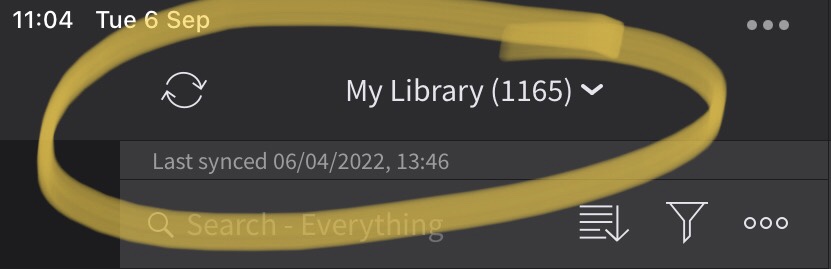

I also exported a copy of my EndNote desktop library recently on the advice of a peer and that sits in a folder called EndNote backups on the University’s OneDrive. Since I copy and paste EndNote references into Scrivener for my in-text citations I imagine there would be a lot of work if anything happened to my EndNote library so better safe than sorry.
Scrivener – I love Scrivener. Every time I close my project it automatically makes a new copy and saves it with a unique reference number to an alternative location to the original. Unlike NVivo and EndNote, I use a purchased licence for Scrivener, run the master project file from the University’s OneDrive so I can seemlessly switch to my older Mac if the need arises, and I store the backup file copies to my local hard drive. Since Scrivener is where I do all my writing it would be a disaster to lose any of it. This works for me and since I backup my laptop to Time Machine every few days the risk of disaster seems low.
Time Machine – As a Mac user I was aware of Time Machine but didn’t really know how it worked. Anytime I tried to set it up there wasn’t enough space so I gave up and went back to making copies of important documents and files and storing them to a portable hard drive. This worked fine until the portable hard drive started filling up – okay, it had 500Gb storage and was about 10 years old so perhaps time for a new solution as my PhD project was still growing. A 4TB hard drive was ordered and is hooked up to Time Machine for regular backups. I don’t leave the hard drive connected all the time since it tends to get warm, but a few times a week I look at the menu bar to see when it was last backed up and duly do the needful. This works for me and I rest easy knowing that if the house went on fire I could just grab the hard drive (along with the dog of course!).
So, having recorded what I try to do to safely manage my PhD project there may be other ways of achieving the same result. All these take a little time and effort but are well worth it.
Until next time, Sandra
Featured image courtesy of Bitmoji
 Sandra Flynn
Thanks for the nudge – I have just backed up my precious Zotero library!
LikeLiked by 1 person